AdBlue Emulator V4 EVO installation manual for Volvo FH4/FM4 EURO 5 trucks
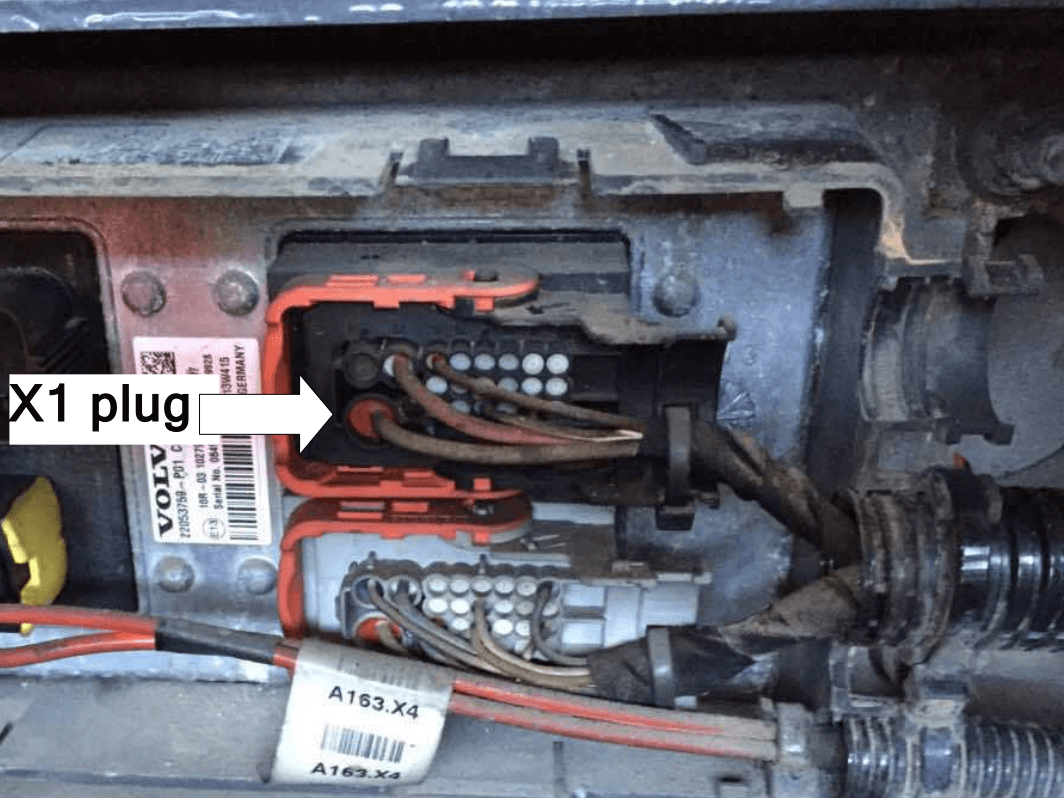
AdBlue Emulator V4 EVO FH4 EURO 5 is compatible only with Volvo FH4/FM4 EURO 5 trucks. This installation manual describes the whole process of AdBlue Emulator device installation on compatible Volvo FH4/FM4 EURO 5 vehicles. We highly recommend you to delete all DTC (Diagnostic Trouble Codes) errors from OBD (On-Board Diagnostics) system on your truck. The best option is to use the original Volvo diagnostic scanner. Also, it is recommended to check the OBD system after installation of AdBlue Emulator module because there might be errors related to installation procedures.
[sc_note note_color=”#ffcf0d” text_color=”#000000″ radius=”5″]Vehicle preparation! To make sure that the emulator works as intended, you would need to launch active DPF regeneration before installing the emulator. To do that, you need to connect the vehicle to a diagnostics system (original Volvo or TEXA) and activate the regeneration function.[/sc_note]
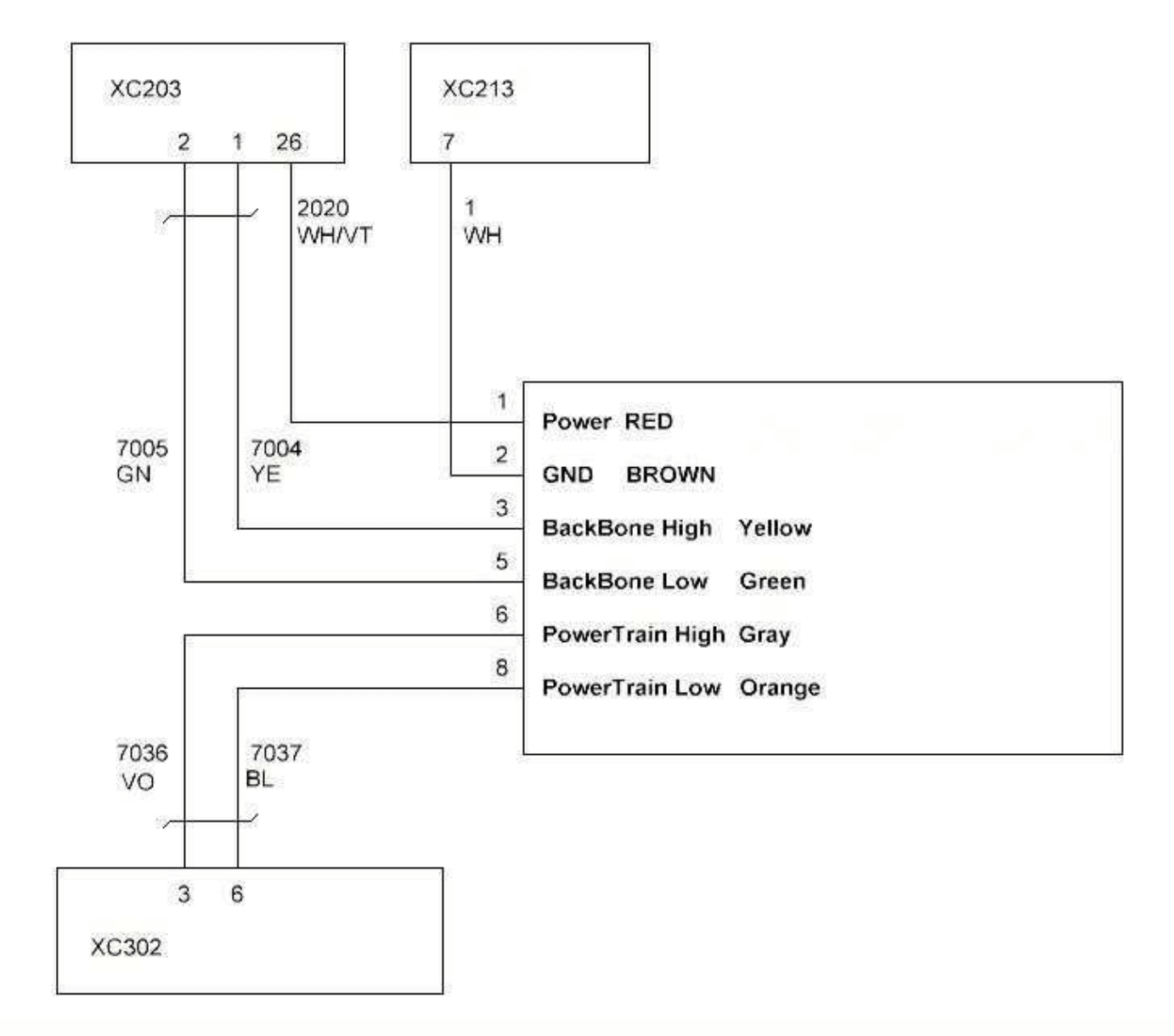
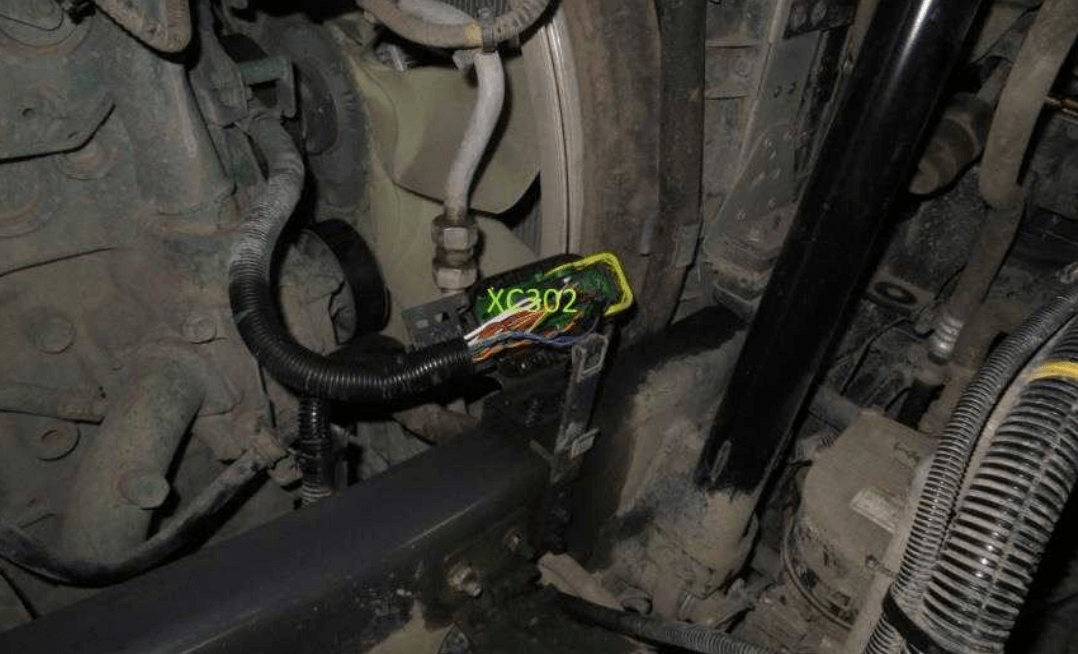
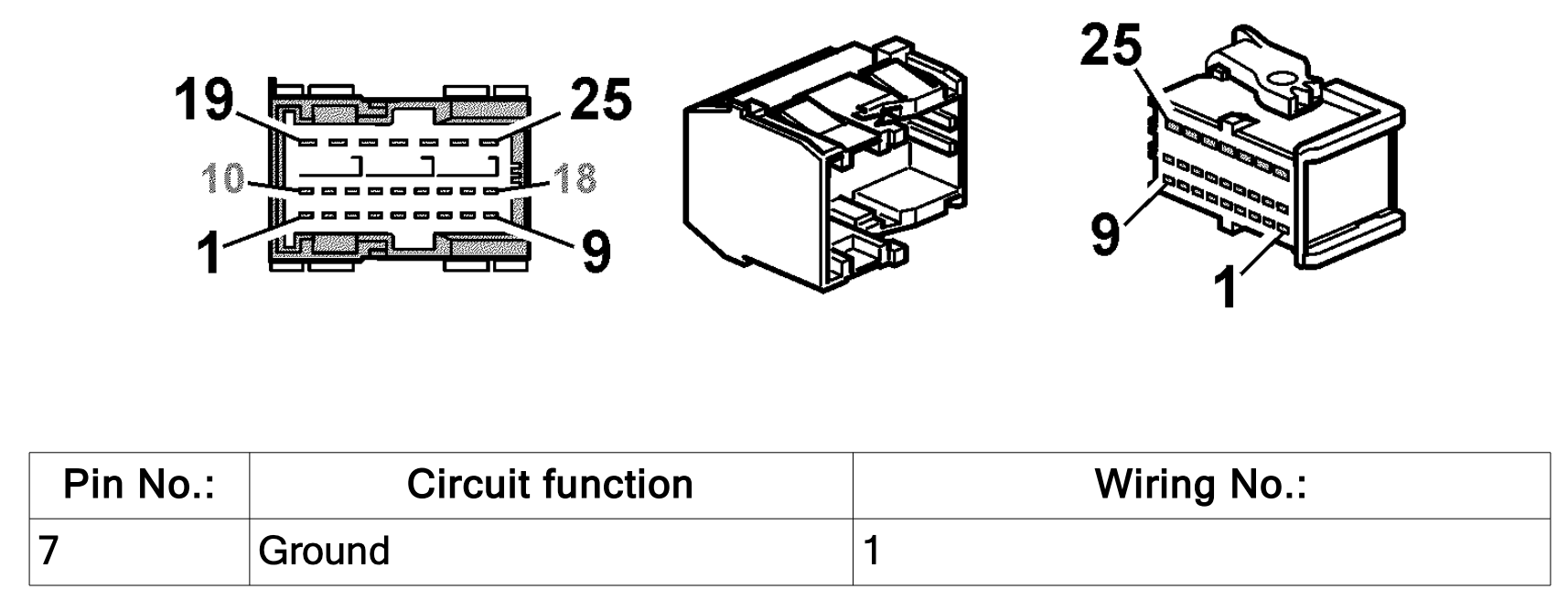
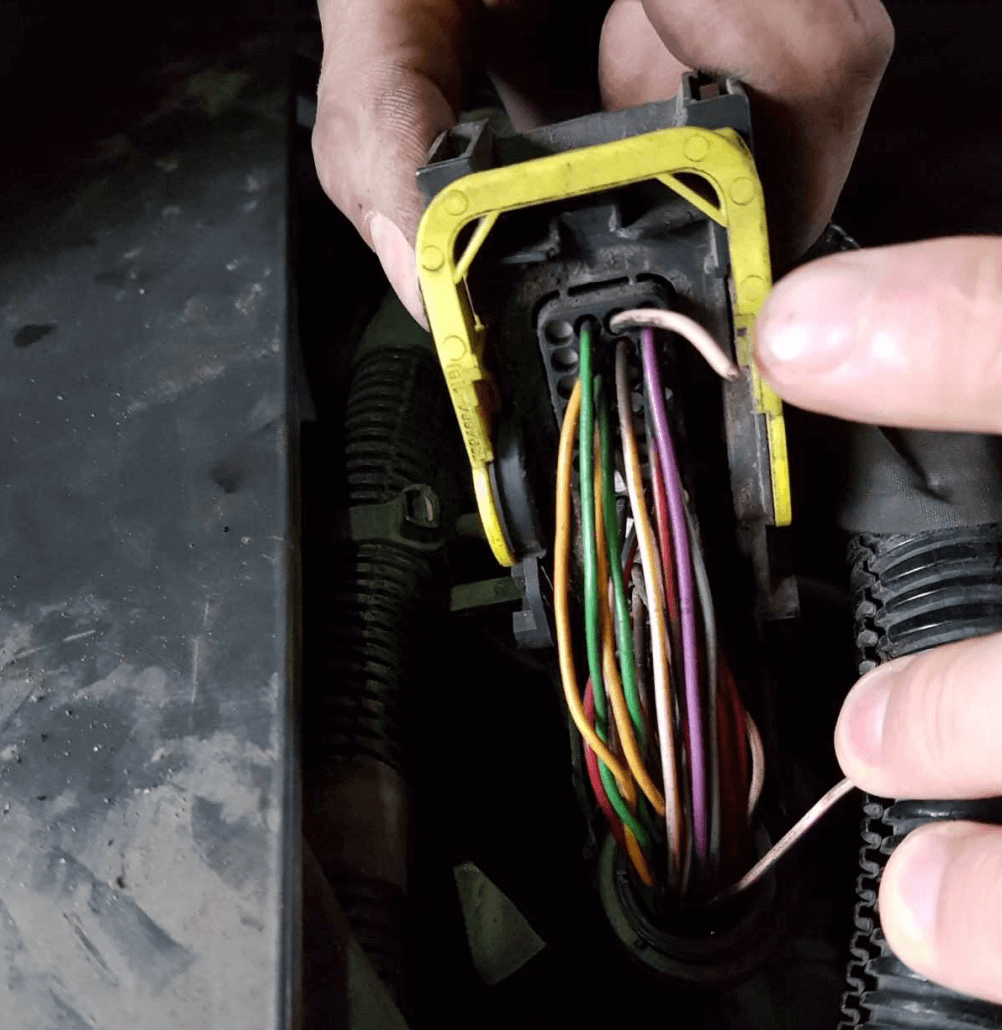
Connection diagram. Attention! Pay attention to the emulator sticker; colors of wires may vary.
€149.00–€399.00Price range: €149.00 through €399.00
Select options
This product has multiple variants. The options may be chosen on the product page
[sc_note note_color=”#ffd166″ radius=”5″]Attention! AdBlue emulators are illegal in some countries. You should check your local laws or laws of those countries that you might cross with your vehicle. AdBlue emulator alters SCR system thus makes the vehicle to produce higher exhaust gas emissions. EURO 6 and EURO 5 vehicles equipped with AdBlue emulator device will no longer match those EURO standards. Our AdBlue emulators designed for countries where environmental rules are less strict, and there are no requirements for vehicles to satisfy EURO 6 or EURO 5 regulations. By purchasing any AdBlue emulator, you assume full responsibility for the use of the device. It’s your personal decision to use an emulator or not. We will not accept any liability for any consequences associated with usage of AdBlue emulator devices.[/sc_note]



 [/sc_column]
 [/sc_column][/sc_row]


 [/sc_column]
 [/sc_column]
 [/sc_column][/sc_row]
 [/sc_column]
